Learn to create various non-technical designs in AutoDesk Fusion 360
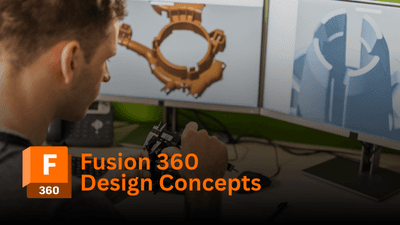
Welcome to the class "Fusion 360 Design Concepts". In this class, you will learn about various 3D design concepts in Fusion 360 in a very comprehensive way. This class is taught by a Fusion 360 certified user & AutoDesk certified professional with 10+ years of design experience.
What is covered
10+ design (non-technical) concepts including Fidget spinner, Pokeball, Geometric planter, Diamond, Painter's pyramid, etc. The idea behind creating this course came from feedback from several students who wanted some cool designs for a change. By taking this course, you will be able to brush up on your knowledge of Fusion 360 & also learn a lot of new things.
Class Level - Intermediate
If you are a complete beginner to Fusion 360, This class might not be for you. You need to have some fundamental knowledge of 2D Sketching & 3D modelling. This is indeed an intermediate-level course.
Pre-requisite Commands
Sketching commands like Circle, Rectangle, Arc, and Polygon are used quite frequently along with the Project command which projects bodies & components to an existing sketch. 3D modelling tools like extrude, revolve, shell, and fillet are also frequently used. Construct toolbar for creating axis & planes & Inspect toolbar for measurements are equally important.

Mechanical Engineer, Educator, & Industry Consultant
J. Aatish Rao | Mechanical Engineer, Educator, & Industry Consultant AutoDesk Certified Professional | Fusion 360 Certified User | ClearFit Certified Team Leader Why Learn with Me? With over a decade of hands-on industry experience, I specialize in empowering students and professionals in mechanical engineering and advanced design. As an experienced consultant and certified instructor, I am passionate about transforming complex concepts into practical, real-world applications to help you succeed. 10+ Years of Industry Expertise: I bring practical knowledge from years of solving real-world challenges in mechanical engineering, design, and consulting. Globally Certified Trainer: As an AutoDesk Certified Professional and Fusion 360 Certified User, I provide expert instruction tailored to your learning needs, blending certified techniques with a deep understanding of the industry. Dynamic & Engaging Teaching: My highly interactive workshops and courses foster a team-spirited, hands-on environment that motivates and inspires the next generation of engineers. Certifications & Leadership AutoDesk Certified Professional & Fusion 360 Certified User : Master-level skills in cutting-edge design software. ClearFit Certified Team Leader : Expertise in team leadership and collaboration. Industrial Consultant : Proven success in providing innovative solutions to engineering challenges. Beyond Engineering When I’m not mentoring future engineers, I’m gazing at the stars. As a passionate stargazer and lifelong learner, I channel my curiosity about the cosmos into everything I do, bringing a sense of wonder and exploration to my teaching. Join Me on LearnFormula Unlock your potential in mechanical engineering and beyond. Whether you're a student, a professional, or a lifelong learner, my courses are designed to provide you with the knowledge, skills, and confidence to succeed in the ever-evolving world of engineering. Let’s embark on this transformative journey together!
